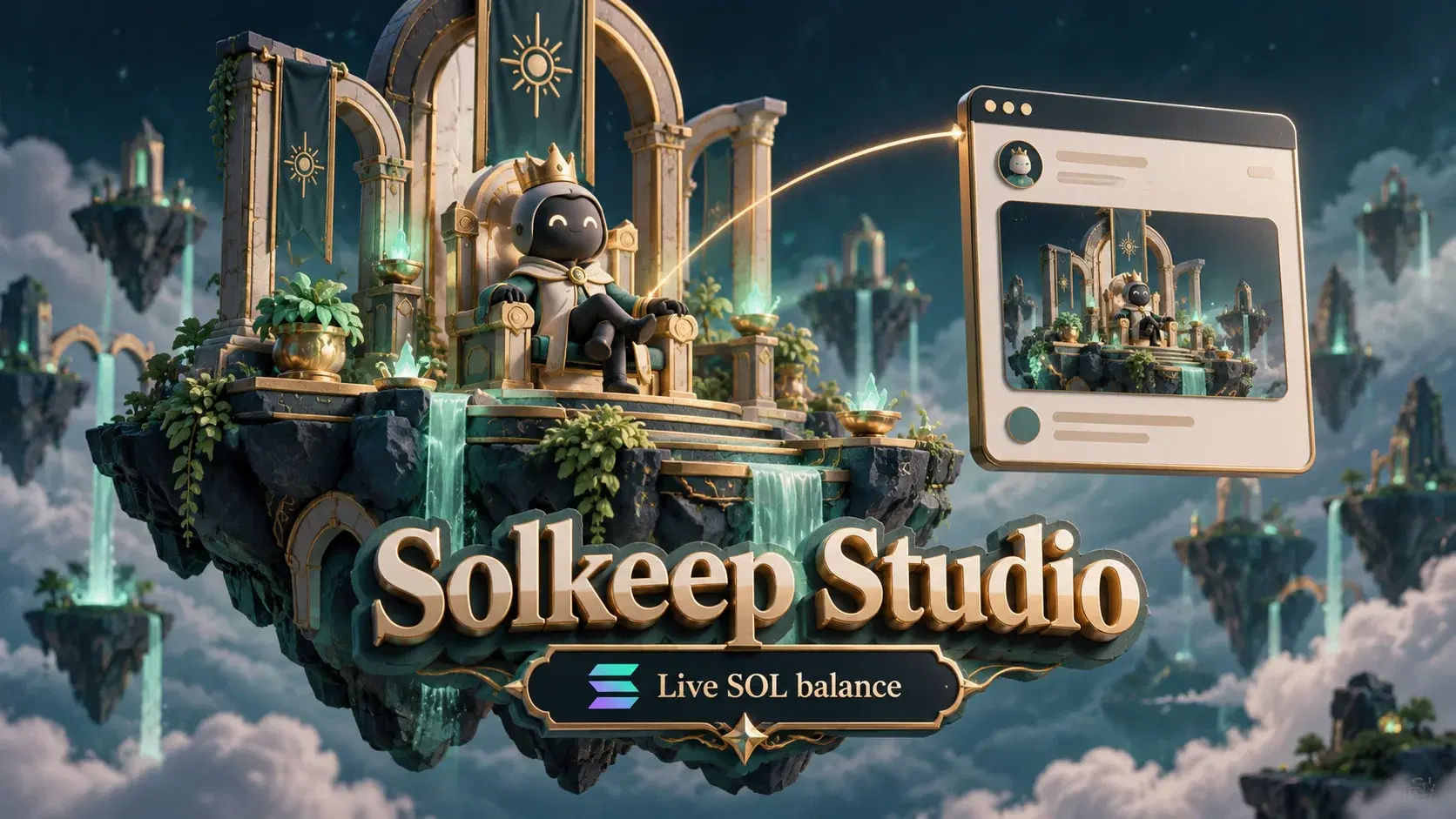
Your wallet can have a look of its own. Picture an avatar in a throne room, a message floating in the scene and your SOL balance styled to match. With Solkeep Studio, you can build that personal 3D setting and give it a public page to share with friends or your community.
Studio is part of SOLKEEP, the Solana wallet. You choose the scene, decide what to show and publish the result with one link. Here is how to create your first world and make it yours.
Your wallet, with a world around it#
Solkeep Studio is the scene creator inside SOLKEEP. It brings together a setting, your avatar, custom text and an optional live SOL balance display. The editor lets you personalize those elements, then save a version that other people can visit.
Every wallet has one scene on every plan. You can keep redesigning it as your style changes. Free gives you a starting point; paid upgrades add more customization options for the same scene.
Make the scene feel like yours#
Start with the throne room, an avatar, a crown and a heading. Choose the available pose, add a short message and adjust the text's size and height. A name, greeting or community motto can give the scene a personality before you change anything else.
Pro opens up more settings, including a penthouse, yacht deck, moon landing, vault and red carpet. You also get more poses, accessories, fonts and text lines. Try a waving keeper and a welcome message, or a seated avatar with a quieter design.
Enterprise adds brand colors, custom lighting and your own model uploads. If you use a custom model, it keeps its original pose. The keeper's built-in pose and accessory choices apply to the keeper avatar, so choose the approach that suits your design.
Show your live SOL balance, if you choose#
Studio can display your wallet's actual SOL holdingsinside the scene. You can choose how the balance looks or hide it entirely. The display reads the wallet balance, so you cannot type in a larger number or replace it with custom text.
It shows SOL, rather than the combined value of your tokens. Your custom heading is a separate design element: use it for a name or message while the balance display stays connected to the real wallet.
How to create your first Studio scene#
- Open your SOLKEEP wallet. If you are new, create a wallet, write your recovery phrase offline, complete the backup check and choose a strong password.
- Choose Studio from your account or the header. An already-unlocked wallet takes you into the editor without another unlock.
- Pick from your available settings, poses and accessories. Add your text and adjust its size and height so it fits the scene.
- Decide whether to show the live SOL balance and choose its appearance. Review the whole scene, including any personal details in your text.
- Choose Save scene to publish the current design. Then use View scene to see what visitors will see.
- Choose Copy link and share the public page when you are happy with it.
For your first design, keep the message short and make one element the focus: the avatar, your heading or the balance. You can return later to experiment with a different look.
Give your world a public page#
Your saved scene has its own public link. Send it to a friend, add it to your profile or share it with a community. Visitors can open the page without a wallet or sign-in, so they can see the world you created without setting up SOLKEEP first.
The link opens your saved scene. When you make changes in the editor, choose Save scene to update the public version. Unsaved experiments stay out of the published design, and you can keep updating the same page instead of sharing a new link for each redesign.
Pro also unlocks a custom public link, which can make the page easier to recognize and share. Use View scene after saving to check the presentation before posting it elsewhere.
What each Studio plan adds#
| Plan | Your scene | Customization |
|---|---|---|
| Free | One editable scene and a public page | Throne room, basic poses, a crown and a text heading |
| Pro | The same scene, with more design options | More settings, poses, accessories, fonts, text lines and a custom public link |
| Enterprise | The same scene, with additional creative controls | Pro options plus brand colors, custom lighting and your own model uploads |
Paid upgrades are one-time payments, with the price shown before you approve. Start with Free and use the options available there to decide what you want from your scene. The Studio overview and Studio FAQ explain the current features and upload requirements.
Know what your visitors can see#
A published scene makes its name, text, design and wallet address public. Your SOL balance is visible in the scene when you enable that display. Public pages may also appear in search results, so write your heading and message for an audience beyond the first person you send the link to.
Your recovery phrase and wallet password are never part of the scene. Keep them out of custom text and uploaded artwork too. Share the scene link to show your world; nobody needs your recovery words to visit it.
You can delete the scene in the editor to stop serving its public page. Copies and search results can take time to disappear. Read the privacy policy for details about published scenes and data handling.
Keep shaping the same world#
Your first scene can be simple: a keeper, a throne room and a message that sounds like you. Later, change the setting, try another pose or decide whether a live balance belongs in the design. Save the changes and the public page grows with your ideas.
Open Solkeep Studio, create your world and share the version you want others to see.
Frequently asked questions
What is Solkeep Studio?
Solkeep Studio is the scene creator inside SOLKEEP, the Solana wallet. You can personalize a 3D setting around your avatar, add text, choose whether to show your live SOL balance and publish the scene as a public page.
Can I create a scene for free?
Yes. Free includes one scene with a throne room and basic customization. Pro and Enterprise unlock more ways to customize that same scene. Every wallet has one scene on every plan.
Does my public page show all my tokens?
The balance display shows the wallet’s actual SOL holdings, rather than the combined value of all its tokens. You can hide or style the display, but you cannot enter a different balance. The wallet address remains public even when the balance display is hidden.
Do visitors need a wallet to see my world?
No. Anyone with the public link can open your saved scene without connecting a wallet or signing in. Share it in a message, profile or community post.
Can I change my scene after sharing it?
Yes. Open Studio, edit your scene and choose Save scene to publish the changes. You can keep updating the scene behind the same public link. Unsaved edits do not update the published design.
Can I use my own 3D model?
Enterprise includes custom model uploads. Upload a supported self-contained model, select it and save your scene to publish it. Custom models keep their original pose; the built-in avatar’s pose and accessory controls apply to the keeper.